For Sensereo alarms integrated with Home Assistant, the Sensereo Self-test Home Assistant function can be used to remotely trigger a short alarm test through the Self-test button entity.
This can be useful when the alarm has already been installed and you want to check whether the buzzer is working without pressing the physical test button directly.
In Home Assistant, the Self-test button can also be used in an automation. For example, you can repeat the Self-test button press action several times with a delay between each trigger to create a longer audible test sequence.
It is important to understand that the Self-test pattern is not the same as the fire alarm pattern. The Self-test button triggers a short test action. The full fire alarm pattern is reserved for real smoke detection by the alarm itself.
How to Use the Self-test Button in Home Assistant
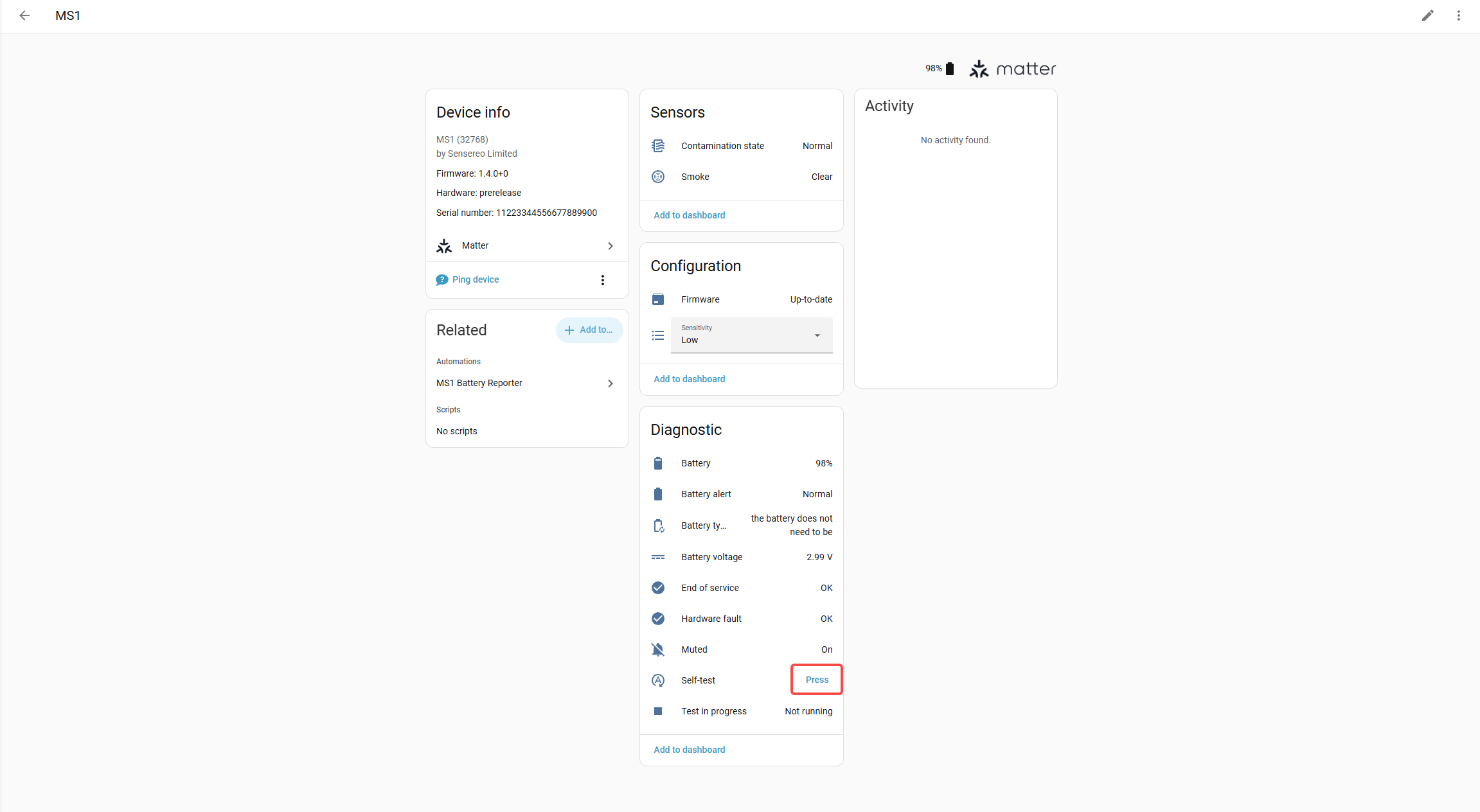
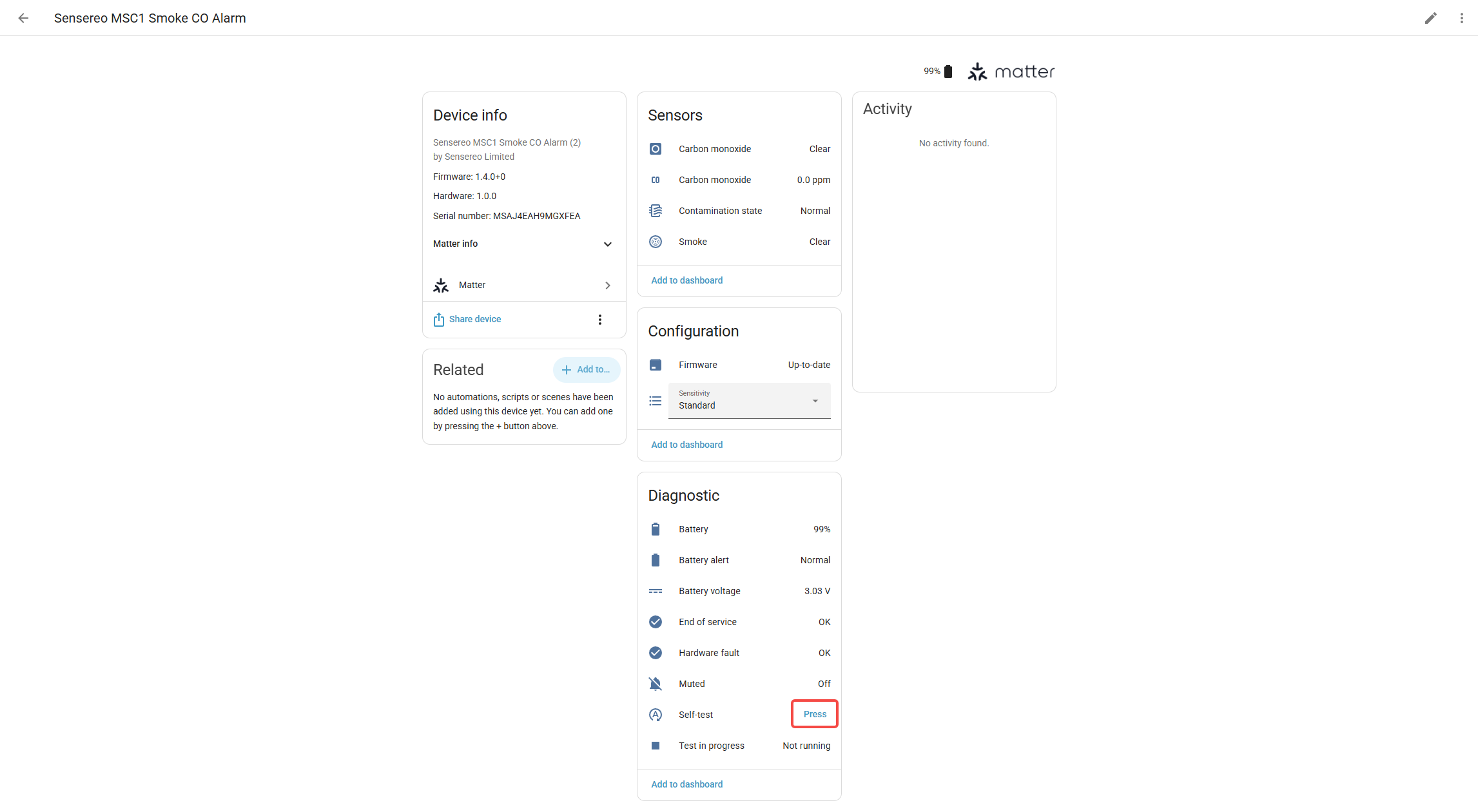
After your Sensereo alarm is paired with Home Assistant, you may see a Self-test button entity on the device page.
This button can be used to trigger a short test sound from the alarm.
You can use it to:
- Check whether the alarm buzzer works normally.
- Run a short test from Home Assistant.
- Verify the device after installation.
- Test the alarm without pressing the physical button on the device.
This is the intended use of the Self-test button: a short remote test, not a continuous siren.

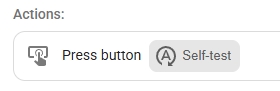
Home Assistant Button Press Example
The automation logic can be described as:
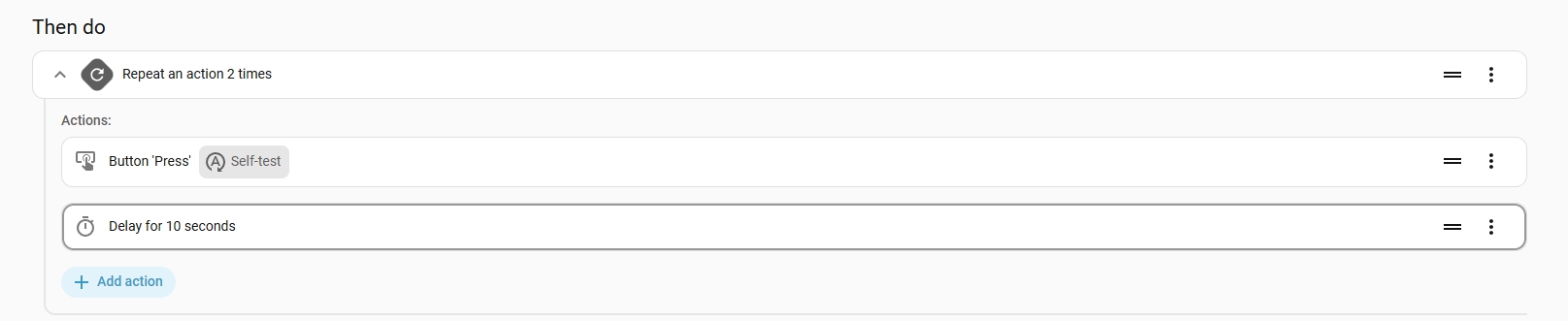
Replace this part:
with the actual Self-test button entity shown in your Home Assistant setup.
Depending on your device name, the entity may look different. For example, it may include ms_1, msc_1, or the room name you assigned in Home Assistant.
Adjusting the Repeat Count
You can adjust the audible test sequence by changing the repeat count and delay.
For example:
| Repeat Count | Delay | Result |
|---|---|---|
| 2 times | 10 seconds | Short repeated test |
| 3 times | 10 seconds | Longer test sequence |
| 5 times | 10 seconds | Extended test sequence |
Increasing the number of repetitions can help approximate a longer alert duration until you notice the event and manually respond.
This method does not change the alarm into a full siren. It only repeats the supported Self-test action.
Recommended Home Assistant Setup
For smart home setups, the recommended approach is:
- Let the smoke alarm trigger itself when smoke is detected.
- Use Home Assistant to trigger other devices for automation.
In this setup, the smoke alarm remains responsible for detecting smoke and triggering its own certified alarm behavior.
Home Assistant can still be used as part of a wider smart home response, but the smoke alarm itself should not be treated as a remotely controlled siren.



Self-test Pattern vs Fire Alarm Pattern
The Self-test pattern and the fire alarm pattern are different.
The Self-test pattern is used to confirm that the alarm can sound. It is a short test action triggered by the Self-test button.
The fire alarm pattern is the alarm behavior used when the device itself detects smoke.
This distinction matters because a smoke alarm should clearly communicate a real smoke or fire condition. If external systems could freely trigger the full fire alarm pattern, users may no longer be able to clearly distinguish between a real smoke event and a smart home-triggered alert.
For this reason, the Self-test button should be understood as a testing function, not a general alarm control function.
Sensereo Self-test Home Assistant: What Is Supported
Remote short testing is supported.
You can trigger the Self-test button in Home Assistant to make the alarm sound briefly, such as a few beeps, to verify that the buzzer is working.
You can also repeat the Self-test action with a delay between triggers if you want to extend the audible test sequence.
Sensereo Self-test Home Assistant: What Is Not Supported
Sensereo does not plan to support using external systems to trigger the alarm to emit a full fire alarm pattern.
This means the alarm is not intended to be used as:
- A general-purpose siren.
- A burglar alarm siren.
- A continuously triggered alarm controlled by Home Assistant.
- An externally controlled fire alarm sounder.
The Self-test button is for testing. It is not designed to turn the smoke alarm into a remotely controlled siren.
Recommended Home Assistant Use
For smart home setups, the recommended approach is:
- Let the smoke alarm trigger itself when smoke is detected.
- Use the Self-test button only for short alarm testing.
- Use Home Assistant to trigger other devices if you want additional smart home responses.
For example, when the smoke alarm reports a smoke event, Home Assistant can be used to control other devices in your home automation setup.
The smoke alarm itself should remain responsible for detecting smoke and triggering its own real alarm behavior.
Why the Full Fire Alarm Pattern Is Not Externally Triggered
The limitation is related to the intended use of certified smoke alarms.
EN 14604 is the European standard for residential smoke alarms. It defines smoke alarms as standalone safety devices whose alarm is triggered by the detection of smoke.
The standard scope states:
“This document does not cover devices intended for incorporation in systems using separate control and indicating equipment.”
— EN 14604
This means the product is not intended to function as a system-controlled alarm device.
The standard also allows features such as interconnection between alarms and alarm silencing:
“This document allows… interconnection… and alarm silencing.”
— EN 14604
However, these refer to functions within the alarm itself or between similar alarms. They do not mean that an external smart home system should be able to trigger or control the full fire alarm sound.
Based on our understanding of the regulation and product certification scope, the fire alarm sound should represent a real smoke or fire condition detected by the device itself.
For reference: https://standards.iteh.ai/catalog/standards/cen/b133c808-f8d3-4972-957a-ba5c49fb16cf/en-14604-2005
Final Notes
The Sensereo Self-test Home Assistant function gives users a convenient way to remotely trigger a short test of the alarm.
If you want a longer audible test sequence, you can repeat the Self-test button press action with a delay between each trigger.
However, the Self-test pattern is different from the fire alarm pattern. The Self-test button is designed for short testing only, while the full fire alarm behavior remains tied to real smoke detection by the alarm itself.
“`