Apple Home is one of the most popular smart home ecosystems for iPhone, iPad, Apple Watch, HomePod, and Apple TV users. With the Apple Home app, you can manage compatible smart home devices, receive alerts, create automations, and control your home even when you are away.
Sensereo MS-1 is a Matter over Thread smoke alarm designed to work with Apple Home and other Matter-compatible platforms. Once paired with Apple Home, MS-1 can send smoke alerts to your Apple devices, helping you stay informed even when you are not near the alarm.
Before You Pair MS-1 with Apple Home
Because Sensereo MS-1 uses Matter over Thread, you need a compatible Apple Home setup before pairing. For the best experience, make sure you have a Thread-enabled Apple home hub or compatible Thread Border Router.
Apple devices that support Thread include:
- HomePod mini
- HomePod 2nd generation
- Apple TV 4K 2nd generation
- Apple TV 4K 3rd generation Wi-Fi + Ethernet model
- iPhone 15 Pro, iPhone 15 Pro Max, or later models running iOS 18 or later
For a stable Apple Home smart home setup, we recommend using a HomePod mini, HomePod 2nd generation, or a Thread-enabled Apple TV 4K as your home hub. These devices help connect Thread accessories like MS-1 to your Apple Home network and allow remote access, notifications, and automations.
Video Guide: Pair MS-1 with Apple Home
Watch this video to learn how to add Sensereo MS-1 Matter Smoke Alarm to the Apple Home app.
Video Demo: MS-1 Smoke Detected Alert in Apple Home
This video shows how Sensereo MS-1 sends a smoke detected alert in Apple Home. When smoke is detected, Apple Home can notify your Apple devices so you can respond quickly.
What You Need
Before starting the setup process, please prepare the following:
- Your Sensereo MS-1 Matter Smoke Alarm.
- An iPhone or iPad with the Apple Home app.
- A Thread-enabled Apple home hub, such as HomePod mini, HomePod 2nd generation, or a supported Apple TV 4K.
- A stable Wi-Fi network.
- The Matter QR code or pairing code for your MS-1.
For best results, pair the device before mounting it on the ceiling. Keep your MS-1 close to your Apple home hub during setup.
What Happens When MS-1 Detects Smoke?
When Sensereo MS-1 detects smoke, the alarm will sound locally. If the device is connected to Apple Home, you can also receive an alert on your Apple devices.
This is especially useful when you are away from home, in another room, or unable to hear the alarm directly.
With Apple Home, MS-1 can help make your home safety setup more connected and easier to monitor.
Troubleshooting Apple Home Pairing
If your MS-1 does not appear in Apple Home or pairing fails, try the following steps:
- Make sure your Apple home hub supports Thread and is online.
- Keep the MS-1 close to your HomePod mini, HomePod, or Apple TV 4K during pairing.
- Make sure Bluetooth is enabled on your iPhone or iPad.
- Check that your iPhone or iPad is connected to the same Apple Home setup.
- Restart the Apple Home app and try again.
- If the MS-1 was previously paired with another ecosystem, reset it before pairing again.
- If Apple Home shows a “Thread Border Router Required” or “Thread Network Required” message, check whether your home hub supports Thread.
Final Notes
Pairing Sensereo MS-1 with Apple Home allows you to connect your smoke alarm to your Apple smart home ecosystem. With Matter over Thread support, MS-1 can work with Apple Home and send timely smoke alerts to your Apple devices.
For the best Apple Home experience, use MS-1 with a Thread-enabled Apple home hub such as HomePod mini, HomePod 2nd generation, or a supported Apple TV 4K.
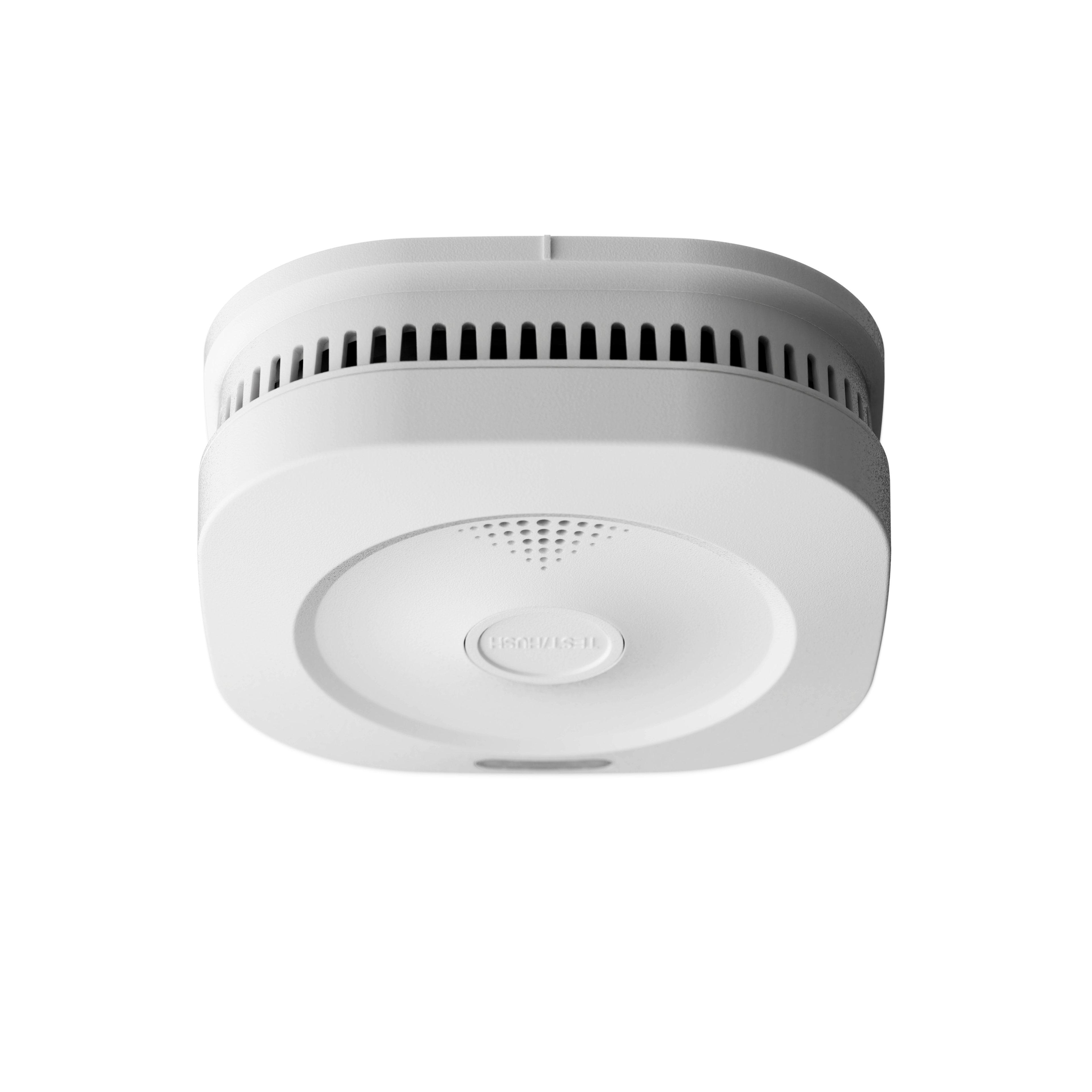
Sensereo MS-1